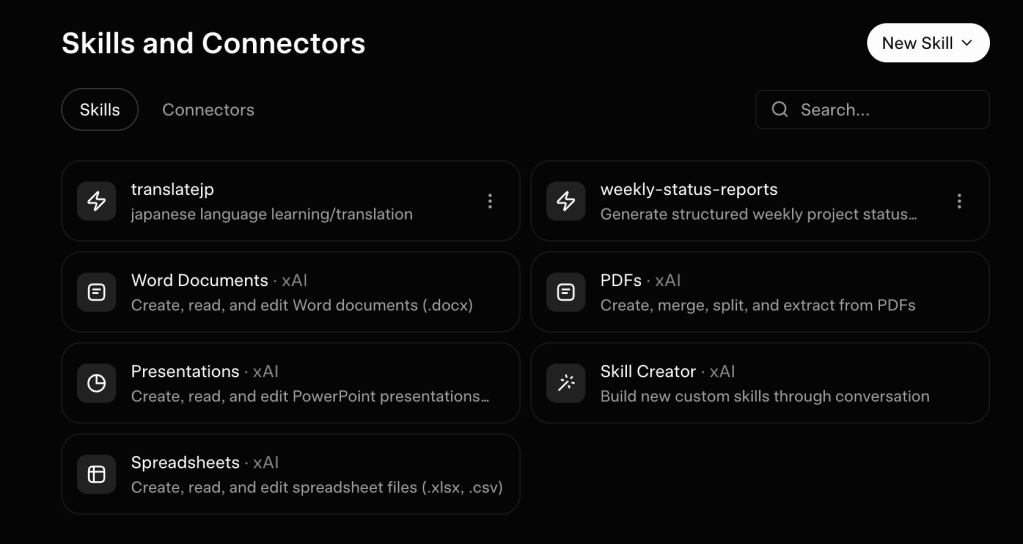
AI is great for answering questions. But what if you want to generate slide decks, spreadsheets, and more? Elon has you covered…
xAI recently dropped Grok Skills, a new tool that lets you create reusable agents. Grok Skills can create a spreadsheet, write a weekly status report, or even review code. (You can access skills by clicking the + sign next to the main prompt box in Grok.)
I ran Grok Skills through a three round test. It’s great for creating spreadsheets or helping you learn a language, but struggles with other tasks like generating a pitch deck.
Let me show you what Grok Skills can do…
Round #1: Creating a Pitch Deck
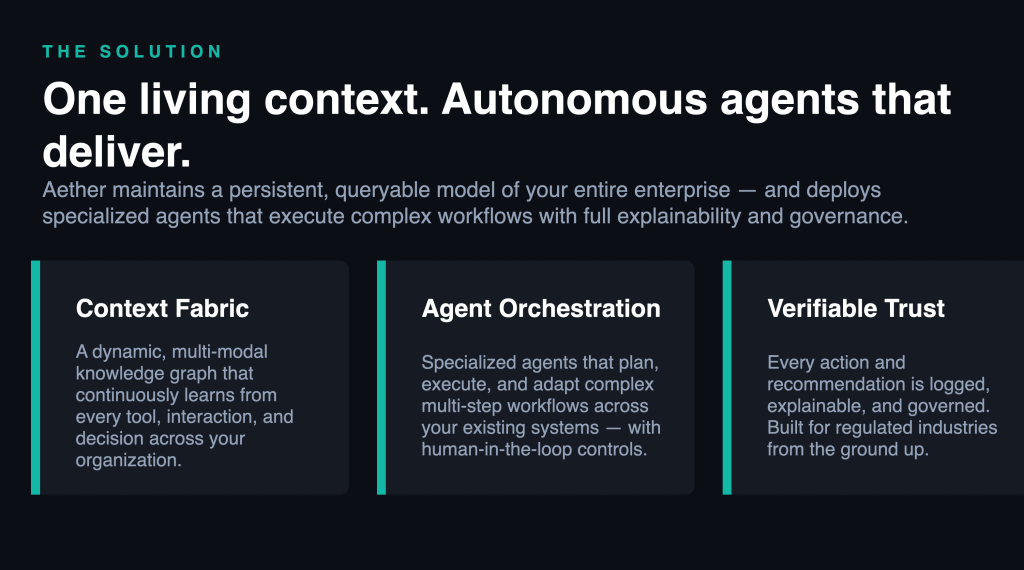
For starters, I ran one of Grok’s pre-loaded skills: creating a pitch deck.
Grok provides an example deck for an AI enterprise startup. This gives you an idea of the presentations Grok can make for you.
Grok’s example deck was mediocre. There’s way too much text crowded on each slide. This makes it hard to scan.
But Grok does get some things right, using a minimalist design with very readable white text on a black background.
I’m giving this round a C.
Round #2: Generating a Spreadsheet to Track Startups
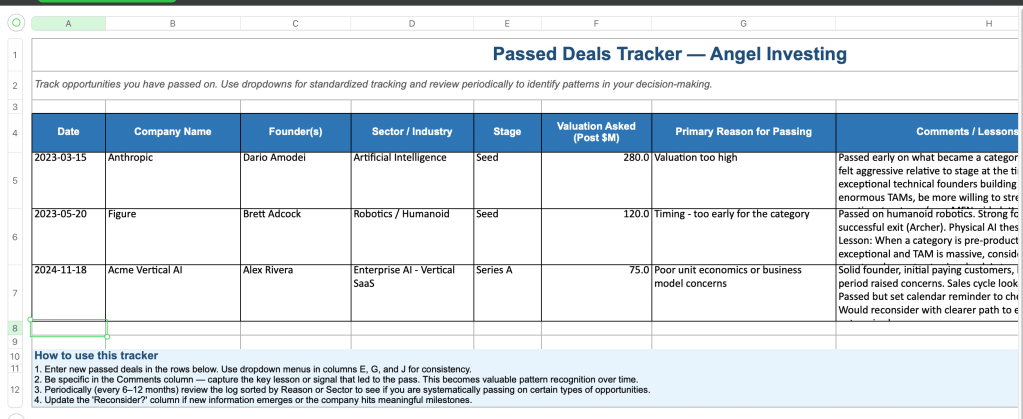
For our next round, I had Grok Skills generate a spreadsheet.
I track every startup I pass on in a giant sheet. Then, if one of these startups breaks out, I can go back and see why I passed.
Assume a new angel investor wants to do this. Can Grok make him a passed deals spreadsheet?
Grok made a great little sheet here, including details like founder name, valuation, and reason for passing. I’d fine-tune this by adding a data validation for common reasons to pass.
Grok’s sheet is an excellent starting point. I’m giving this round an A-.
Round #3: Building a Custom Skill to Translate Japanese
For our final round, I built a custom Grok Skill. I’m going to make Grok teach me Japanese!
Google Translate is great at giving you the meaning of text, but it doesn’t really teach you how to understand the Japanese. It just translates for you.
I need a tool that breaks down and explains text, so I can learn.
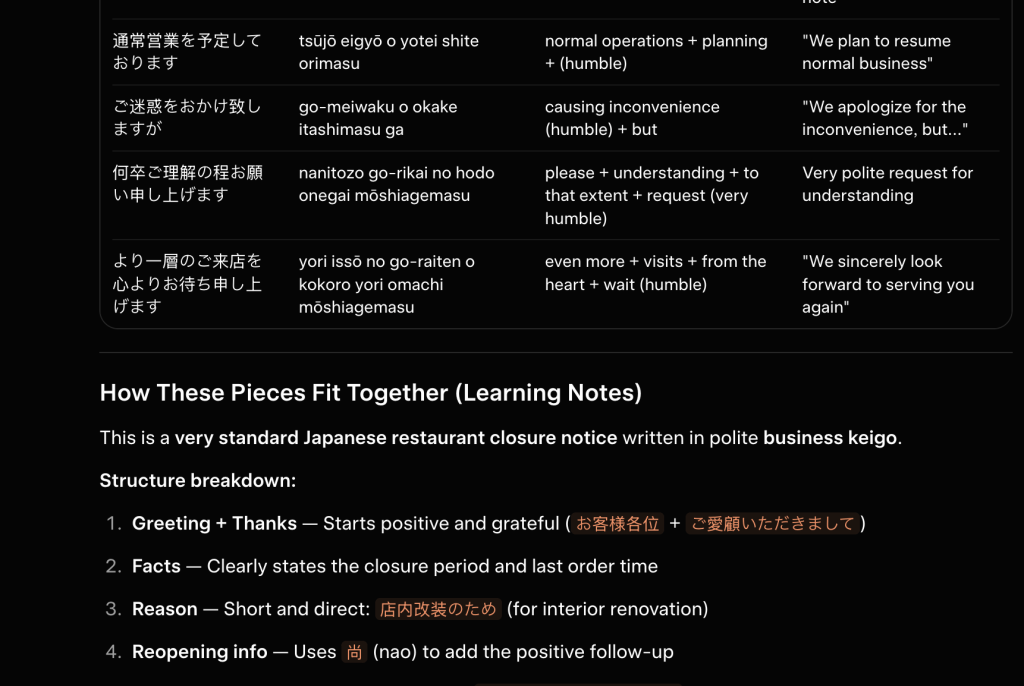
I gave my new Grok Skill detailed instructions on how to teach. I’m having it break down every single word, translate it to English, write it in Roman letters (Romaji), and then explain the whole passage.
To test my new skill out, I gave Grok a picture I took on my recent trip. It shows a closing notice at my favorite diner, Jonathan’s.
Grok did a really nice job of breaking down the meaning of the sign. It explained that it says the store will be closed for several days for renovations.
I’d like to see Grok break down word by word rather than phrase by phrase. But this was still very useful!
I’m giving Grok a B+ on this round.
Wrap-Up
I’m giving Grok Skills a B overall.
Skills are a useful way to create documents and run custom prompts. If Grok can save you a few minutes building a spreadsheet or retyping instructions, that’s a huge win over time.
If I know Elon, he’s going to introduce more and more Grok Skills. Soon, we’ll be able to point, click, and get Grok to do a lot of our work for us.
Give Grok Skills a try and see if you can automate some of your work!
More on tech:
Grok Connectors: Elon’s New Agentic System Excels on Simple Tasks, Falls Short on Complex Operations
What If AI Guided You Instead of Just Giving Answers? — Testing Gemini Guided Learning
Moonshot Drops Kimi K2.6 – Cheap, Powerful, and Worth Trying for Builders
Save Money on Stuff I Use:
This platform lets me diversify my real estate investments so I’m not too exposed to any one market. I’ve invested since 2018 with great returns.
More on Fundrise in this post.
If you decide to invest in Fundrise, you can use this link to get $100 in free bonus shares!
I used this app every single day to dictate to my computer, I’m even dictating this text using Wispr Flow! It’s way better than Apple’s native dictation.
My productivity is up about 25% since I started dictating rather than typing. I’m also less tired and stressed.
Get a free month of Wispr Flow Pro here!


Leave a Reply