Google just dropped a new Gemini app for macOS. It excels on simple tasks like summarizing documents. But for complex jobs, Gemini is surprisingly weak.
This morning, I ran the new Gemini app through a three round test. Let me show you where this app is strong, where it disappoints, and why Google is falling behind…
Round #1: Summarizing a Pitch Deck
I look at thousands of pitch decks every year. Can Gemini summarize them and lighten the load?
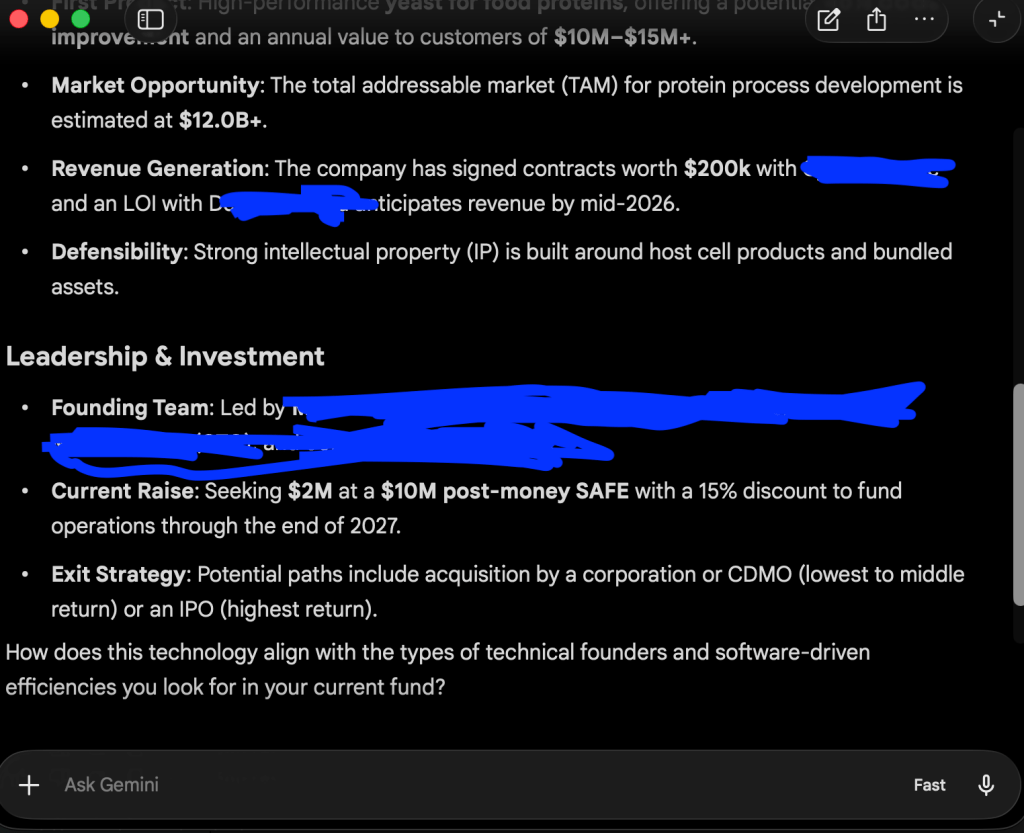
This afternoon, I’m meeting with a fascinating startup working on biomanufacturing. Gemini did a great job of summarizing the deck (key details redacted).
Gemini pulled out everything I want to know, including what the company does, the founders’ backgrounds, and terms of the raise. I love how it formatted the response using bullets and bold text to make it more readable.
I’m giving this round an A!
Round #2: Practicing Japanese For My Upcoming Trip
Next week, I’m off to Japan! I couldn’t be more excited! It’s my first time since COVID.
I’ve studied Japanese since 2014, but I’m getting a little rusty. Can Gemini help me practice?
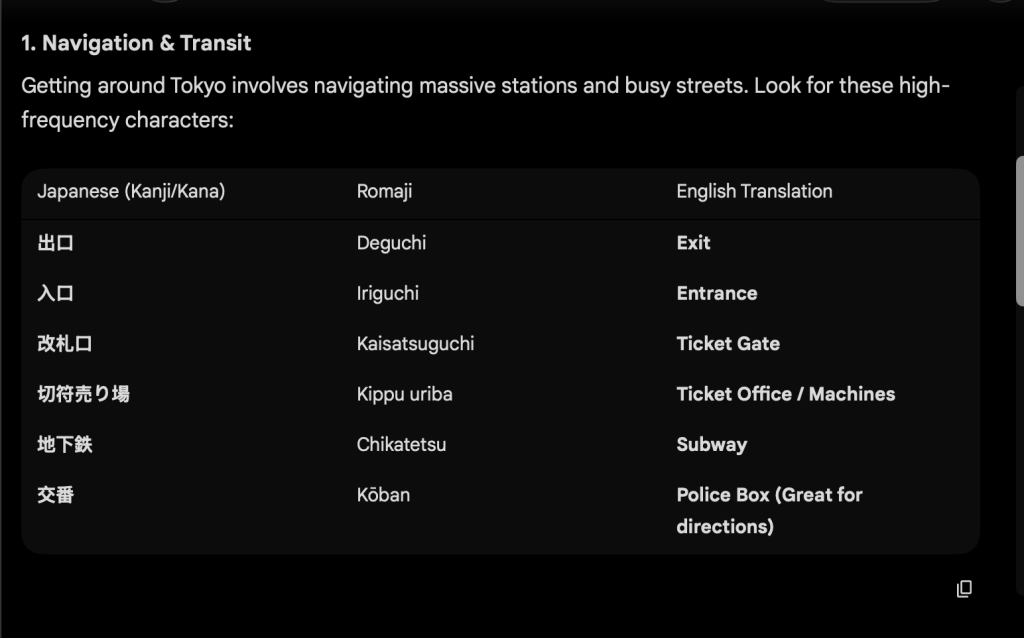
I told Gemini to give me some common signs I’ll see in Japan, along with English translations.
It gave me a useful list, including signs for Entrance and Exit at train stations and Open and Closed at stores. Unfortunately, the text is quite small and there’s no way to make it bigger.
On mobile, I can actually speak Japanese with Gemini Live. That function isn’t in the MacOS app yet.
I’m giving this round a B-. Once Google adds Gemini Live to the macOS app, I’ll bump it up to an A.
Round #3: Searching Gmail for Company Updates
For our final round, I gave Gemini a challenge: running a very complex search in my Gmail.
I want to see if any of my investments haven’t sent an update in the last nine months. But I don’t want to manually search each company.
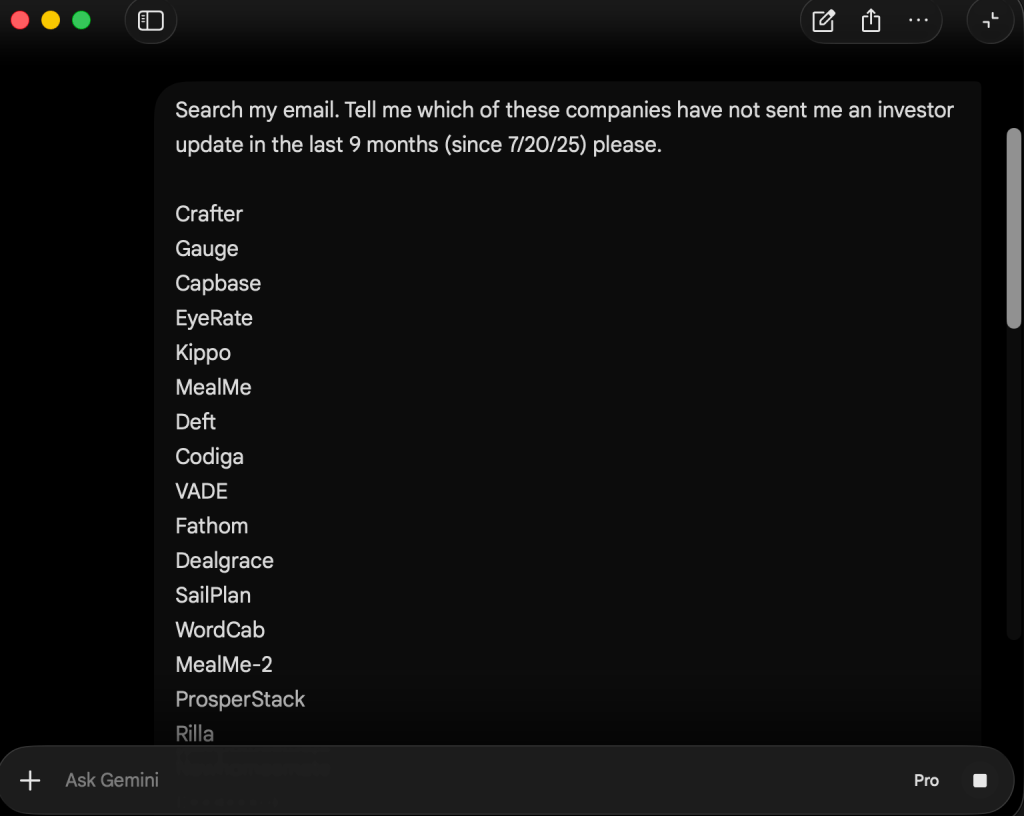
Gemini failed me completely on this task.
I used the Pro model and let the search run for 10 minutes. Gemini didn’t produce any output.
Then, I tried it again on Fast mode. This time, Gemini gave me results. But they were completely incorrect! It flagged companies that just sent updates in the last few days.
A year ago, this would’ve been too much to ask. But with the enormous investment in compute, I expect Gemini to be capable of more complex jobs by now.
I’m giving this round an F.
Wrap-Up
I’m giving the new Gemini macOS app a C overall.
It’s great for basic tasks like summarizing a PDF, but for anything more complicated, Gemini falls short.
I can’t have a voice conversation with Gemini Live. The app can’t run complex searches on my email.
Gemini’s new app feels several months behind the cutting edge. It needs to work with multiple modalities and deeply integrate into my Google services.
Gemini has some great capabilities. But once again, Google is beginning to fall behind Anthropic and xAI.
Unless its next release is much more competitive, Google is in trouble.
More on tech:
Grok Imagine Quality Mode: Jaw-Dropping Images, But Text Still Struggles
Meta’s New Model is Worth $60 Billion — But Struggles in Real World Testing
Gemma 4: Strong on Basic Tasks, Weak on Real Research
Save Money on Stuff I Use:
This platform lets me diversify my real estate investments so I’m not too exposed to any one market. I’ve invested since 2018 with great returns.
More on Fundrise in this post.
If you decide to invest in Fundrise, you can use this link to get $100 in free bonus shares!
I used this app every single day to dictate to my computer, I’m even dictating this text using Wispr Flow! It’s way better than Apple’s native dictation.
My productivity is up about 25% since I started dictating rather than typing. I’m also less tired and stressed.
Get a free month of Wispr Flow Pro here!


Leave a Reply