You need to learn 2,000 characters to read Japanese. This morning, I built an app to teach me with Base44. In just 6 minutes, I had an amazing app up and running!
Designing an App to Teach Me Kanji
I need a flashcard app to help me learn Japanese characters (kanji). Apps like this already exist — WaniKani is one popular choice.
But I want a custom app that looks and behaves the way I want. And let’s be honest…who wants to pay for another subscription?
To build my app, I opened Base44 and used a trick I learned from JCal: I turned on Wispr Flow and started rambling.
I asked for an app with a black background and minimal aesthetic. I told it to separate the words by JLPT level from N1 to N5 so I can practice different levels of difficulty.
Building “Nihongo Flash”
Base44 took just 6 minutes to build the app!
Once I saw the app, I realized there were a couple of instructions I forgot to give Base44. I told it to add spaced repetition and make the word banks larger, taking them from around 25 words per level to about 100.
I also had Base44 make the text bigger. Even with my new glasses, I don’t see as well as I used to!
My app really started to cook after some re-prompting. Base44 gave me exactly what I asked for…huge text and lots of vocab.
This taught me an important lesson about vibecoding.
I kept trying to make the initial prompt perfect. But it’s actually better to iterate repeatedly.
Sometimes I don’t know what I want until I see the MVP.
Base44 even gave my new app a catchy name…Nihongo Flash. Let’s give it a try!
Learning Kanji With Nihongo Flash
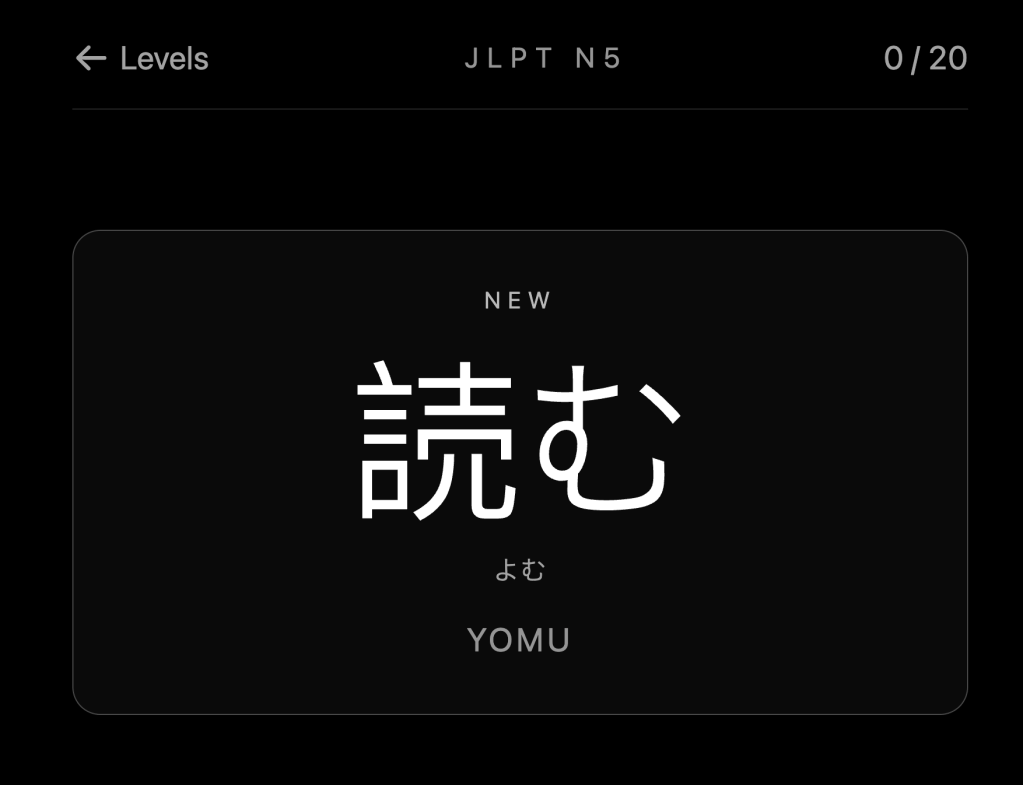
For starters, I tried the N5 vocabulary, the easiest level. The first word Base44 gave me was “yomu,” or “to read.”
I know the word well. But since I mostly deal with spoken Japanese, it’s easy to forget the character.
On the back of each card, Base44 added buttons for how easy or difficult I found the word to be.
This is an incredibly cool feature. It lets me control when I will see the word again.
I didn’t even tell Base44 to do this. It added the feature on its own!
Wrap-Up
Base44 was way better than I expected. So far, it’s the best vibecoding app I’ve used.
It built everything I wanted in just a couple of minutes. Best of all, it included features I didn’t even think of!
I’m giving Base44 an A+.
I had never used this platform before. You don’t hear much about it.
But if you’re looking to vibecode an app, Base44 should go to the top of your list.
If you want to try learning Japanese characters on my new app, here’s the link. It’s absolutely free!
More from the blog:
I Made an Email Agent to Manage My Inbox in Half the Time
I Built a Bot to Hunt for Startups
Zuck’s New Personal Assistant Muse Lags Behind Instinct
Save Money on Stuff I Use:
This platform lets me diversify my real estate investments so I’m not too exposed to any one market. I’ve invested since 2018 with great returns.
More on Fundrise in this post.
If you decide to invest in Fundrise, you can use this link to get $100 in free bonus shares!


Leave a Reply